

The best free writing software in 2026 is not one app. Writing happens in stages: you plan, you draft, you polish. The good news is that every stage has a genuinely free tool that does the job well, and most writers only need three or four of them. This guide covers 12 free tools, grouped by the stage where they help most, with the real free-plan limits for each one so you know exactly where the free ride ends.
In this article
- The 12 best free writing software at a glance
- How to pick the right free writing tools
- Stage 1: Plan and brainstorm
- How we researched and ranked these tools
- Stage 2: Organize and draft
- Stage 3: Polish and check
- A complete free writing stack (steal this setup)
- Frequently asked questions
- Final recommendation
- Article updates
The short answer: brainstorm with MindMeister or Miro, talk your ideas out with Wispr Flow, keep everything in Notion, draft in Google Docs or FocusWriter, and polish with Hemingway Editor and Grammarly. Add Merriam-Webster for word choices, Day One for journaling, Keyword Planner if you write for search, and GPTZero if you need to check how your text reads next to AI content. Every tool below is free to start, and most are free forever at the level an individual writer needs.

The 12 best free writing software at a glance
| Tool | Best for | Free plan highlight | Paid starts at |
|---|---|---|---|
| MindMeister | Mind mapping | 3 mind maps, unlimited collaborators | See pricing page |
| Miro | Brainstorming together | 3 editable boards, unlimited team members | See pricing page |
| Google Keyword Planner | Finding topics people search for | Free with a Google Ads account | Free tool |
| Wispr Flow | Brainstorming out loud (dictation) | 2,000 words/week on desktop | $12/user/mo billed annually |
| Notion | Keeping everything in one place | Unlimited pages for individuals, 5 MB uploads | See pricing page |
| Google Docs | Solo and collaborative writing | Free with a Google account, 15 GB shared storage | Free (storage upgrades via Google One) |
| Day One | Journaling | Unlimited entries and journals, 1 photo per entry | $49.99/year (Silver) |
| FocusWriter | Focused, distraction-free writing | Completely free, open source | Free |
| Merriam-Webster | Finding the perfect word | Free dictionary and thesaurus website | $4.95/month (Unabridged) |
| Hemingway Editor | Clear and concise writing | Free web editor | $19.99 one-time (desktop app) |
| GPTZero | Comparing your writing to AI content | 10,000 words/month, Basic AI Scan | $12.99/month billed annually (Premium) |
| Grammarly | Catching spelling and grammar mistakes | Spelling/grammar checks, 100 AI prompts/month | $12/month (Pro) |
Prices and free-plan limits were checked on each tool’s official pricing page in October 2026. Free plans change, so use the links in each section to confirm the current terms before you rely on a limit.
How to pick the right free writing tools
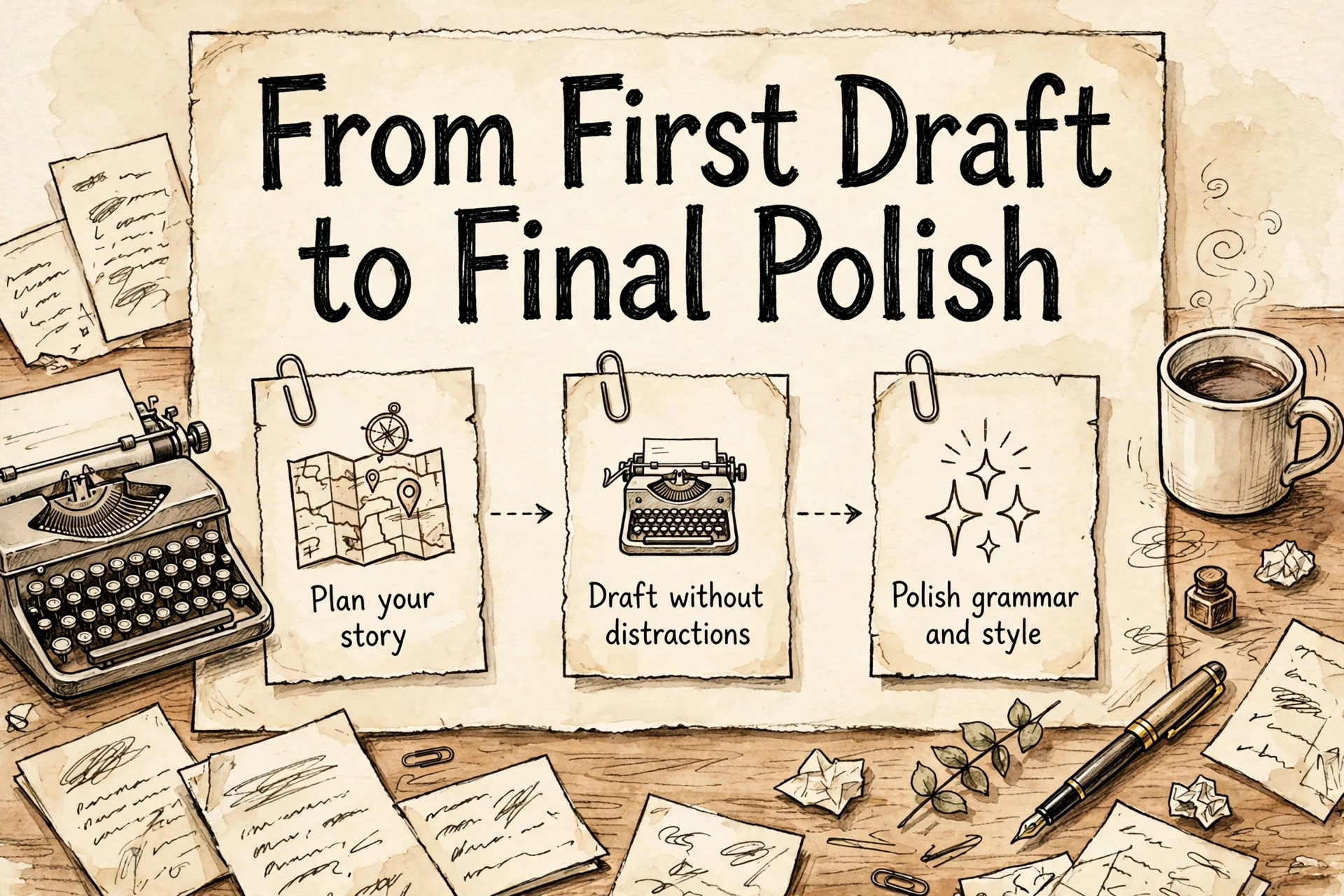
You do not need all 12. Pick by the stage where you get stuck. If your problem is starting, you need a planning tool. If your problem is finishing, you need a focused drafting tool. If your problem is that your drafts read rough, you need an editing tool. The best free writing software for you is simply the one that fixes your weakest stage. Two honest warnings about “free”: some of these tools are free forever with limits (FocusWriter, Google Docs), while others are free tiers designed to upsell you (the editing tools especially). The limits below are the ones that actually matter day to day.
Stage 1: Plan and brainstorm
Disclosure: Some links in this article may earn Dear Thoughts a commission if you buy through them, at no extra cost to you. No company pays for placement — our rankings and verdicts are editorial.
How we researched and ranked these tools
Tools covered: the twelve writing tools in this list, organised by the stage of writing they serve — planning, drafting, polishing. When: free tiers, limits and prices were checked against each tool’s official pages in October 2026 (October 22, 2026). The test frame: producing one complete blog article end to end — outline, draft, edit — because that is the job these tools are actually hired for. Plans judged are the free tiers; anything that only exists on a paid plan is labelled as such in its section. The weighting: free tier 25%, ease of use 25%, writing features 25%, platform support 15%, collaboration 10%. Observed vs claimed: feature limits, word counts and prices are each company’s own published figures, linked to its official page; judgements about feel and workflow are editorial.
1. MindMeister — for mind mapping
MindMeister turns a vague idea into a map you can see. Start with the topic in the middle, branch out into sections, sub-points, and examples, then drag branches around until the structure makes sense. For a blog post, book chapter, or essay, ten minutes of mapping can save an hour of staring at a blank page.
The free plan includes 3 mind maps, unlimited collaborators, templates, presentations, and a focus mode, plus apps for iOS and Android. Three maps sounds small, but it works fine if you export or finish one project before starting the next. What free does not include: attachments, file exports, and version history, so treat it as a thinking space rather than long-term storage.
Best for: outlining articles, books, and courses before you write a word.
2. Miro — for brainstorming together
Miro is an online whiteboard: sticky notes, diagrams, and freehand drawing on an endless canvas. It shines when more than one person is brainstorming: a content team planning a month of posts, co-authors plotting a book, or a class mapping ideas in real time.
Miro’s free plan allows unlimited team members and up to 3 editable boards, with 10 AI credits per month for generating diagrams, tables, and summaries. Two limits to know: exports on the free plan are low-resolution only, and any board you create is visible to all team members by default. Private boards start on the paid Starter plan.
Best for: group brainstorming, content calendars, and visual planning with a team.
3. Google Keyword Planner — for brainstorming topics
If you write for the web, the best topic is often the one people are already searching for. Keyword Planner shows you the phrases people type into Google, roughly how often, and dozens of related ideas you would not have thought of. Type in “home workout” and you get back the exact angles readers are looking for.
Google describes Keyword Planner as a free resource, and it costs nothing to use. The catch is setup: Google states that you need to complete your Google Ads account setup and create a campaign, and switch the account to Expert Mode if it is in Smart Mode. You do not have to actually run ads to research keywords, but in practice, accounts without active ad spend typically see search volumes as ranges rather than exact numbers. If you are planning content for a blog, this pairs naturally with the process in our guide on how to start a blog in 2026.
Best for: bloggers and content writers choosing topics with real search demand.
4. Wispr Flow — for brainstorming out loud
Some people think better talking than typing. Wispr Flow is a dictation tool that works inside any app: press a key, talk, and clean text appears where your cursor is. It removes filler words and formats as you speak, so a five-minute voice ramble becomes a rough draft you can edit instead of a recording you will never transcribe.
The free plan includes speech-to-text in any app across Mac, Windows, iOS, and Android, in 100+ languages. The limit that matters: 2,000 words per week on desktop, with limited weekly use on mobile. That is enough for brainstorming and short drafts. Unlimited dictation is a Pro feature, at $15/user/month billed monthly or $12/user/month billed annually.
Best for: writers who think out loud, and anyone whose hands tire before their ideas do.
Stage 2: Organize and draft
5. Notion — for keeping everything in one place
Ideas in a notebook, research in a browser, drafts in three different apps: that scatter is where writing projects die. Notion is a workspace where your notes, outlines, research links, and drafts live in connected pages and databases. Many writers run their whole content system in it: an ideas database, a calendar of drafts, and a page per article.
On the free plan, pages and blocks are unlimited if you use the workspace by yourself. The real limits are file uploads up to 5 MB, page history of 7 days, and up to 10 guests. If you share the workspace with multiple members, the free block allowance becomes limited, so the free plan works best for solo writers. It also includes a limited trial of Notion AI.
Best for: organizing notes, research, and drafts in one searchable home.
6. Google Docs — for solo and collaborative writing
Google Docs is the default writing tool for a reason: it is free, it saves automatically, and sharing a draft is one link. Suggestion mode makes editor feedback painless, comments keep discussion next to the text, and version history rescues you when an edit goes wrong. For collaborative writing, nothing free comes close. If you plan to write for clients, our guide to starting freelancing covers finding your first work.
Docs is free with a Google account. Your account includes up to 15 GB of storage at no charge, shared across Drive, Gmail, and Photos. Documents themselves are small, so 15 GB lasts a writer a very long time. If you ever outgrow it, Google One storage upgrades start at 100 GB.
Best for: everyday drafting and any writing that involves another person’s feedback.
7. Day One — for journaling
Journaling is the habit that keeps the writing muscle warm, and Day One is the most polished journaling app around. It adds photos, locations, and prompts to your daily entries, and its “On This Day” feature resurfaces old entries, which is often where essay and memoir ideas come from.
The free Basic plan ($0 per year, per Day One’s pricing page) is more generous than most people expect: unlimited journal entries, unlimited journals, end-to-end encryption, daily prompts, templates, and streaks. The limits are 1 photo per entry and access on 1 device (plus the web). Unlimited photos and videos, audio recording with transcription, and unlimited devices are paid features; Silver is $49.99 per year and Gold is $74.99 per year.
Best for: a daily journaling habit that feeds your other writing.
8. FocusWriter — for focused writing
FocusWriter does the opposite of Notion and Docs: it hides everything except your words. It is, in its maker’s words, a simple, distraction-free word processor. The interface hides away and only appears when you move the mouse to the edge of the screen. You can set a theme (font, colors, background image), track daily goals and live statistics, set timers, work on multiple documents at once, and when you reopen it, it restores your work exactly where you left off. Spell-checking is built in.
FocusWriter is free in the truest sense: it is open source under the GPL version 3 license, the official page lists no purchase price, and the only payment mentioned is a voluntary tip if you like it. Downloads are offered for Windows 10 (including a portable version) and Linux. One honest limitation: no Mac download is listed on the official page, so Mac writers should look at the other tools in this guide instead.
Best for: deep-focus drafting sessions and long-form projects.
Stage 3: Polish and check
9. Merriam-Webster — for finding the perfect word
Every writer hits the moment: you know the meaning you want, but the word will not come. Merriam-Webster’s free website is more than a dictionary. Each entry carries examples, synonyms, word histories, and usage notes, and the thesaurus helps you swap a tired word for a precise one.
The dictionary and thesaurus are free to use and supported by ads. If you want the complete, ad-free reference, Merriam-Webster Unabridged costs $4.95 monthly or $49.50 annual and adds thousands more definitions, expanded etymologies, and advanced search. For most writers, the free site is enough.
Best for: definitions, synonyms, and settling “which word is right” arguments.
10. Hemingway Editor — for clear and concise writing
Hemingway Editor highlights the problems that make writing feel heavy: long tangled sentences in red, simpler alternatives for complex words, adverbs and passive voice marked for review, and a readability grade for the whole piece. Run a draft through it before publishing and cut what glows red.
The web editor is free in your browser with the full highlighting. The optional desktop app for Mac and PC is a $19.99 one-time purchase that works offline, but note the app itself states it does not include the newer AI features. Those live in a separate subscription, Hemingway Editor Plus, from $8.33/month billed annually, which adds AI sentence rewrites and fixes. The free web version covers what most writers need.
Best for: tightening blog posts, essays, and business writing before anyone sees them.
11. GPTZero — for comparing your writing to AI content
GPTZero started as an AI detector, and its most useful feature for writers is the comparison: paste your text and see which sentences read as human and which read as AI-generated. If you draft with AI help and then rewrite in your own voice, it shows you the passages that still sound machine-made. Teachers, editors, and clients also use it to check submitted work.
The free plan gives you 10,000 words per month with the Basic AI Scan, plus 1 free Advanced Scan and 5 free AI Highlights in the Chrome extension. That is enough to check a few articles or essays a month. Plagiarism checking is not part of the free plan; it arrives with the paid plans, where Premium runs $12.99/month billed annually for 300,000 words per month. One caution that applies to every AI detector: treat the score as a signal, not a verdict, because these tools can flag genuine human writing too.
Best for: checking that AI-assisted drafts genuinely sound like you.
12. Grammarly — for catching spelling and grammar mistakes
Grammarly is the safety net. It sits in your browser, email, and documents, underlining spelling and grammar mistakes as you write and suggesting fixes in one click. It will not make a dull idea interesting, but it stops the embarrassing typo in the client email or the published post.
The free plan includes spelling and grammar checking, tone detection (so you know when a message sounds harsher than you meant), and 100 AI text-generation prompts per month. What free does not include: full-sentence rewrites, plagiarism detection, and AI-content detection. Those are in Pro, at $12/month, which also raises the AI allowance to 2,000 prompts per month.
Best for: a final error check on everything you write, everywhere you write it.
A complete free writing stack (steal this setup)
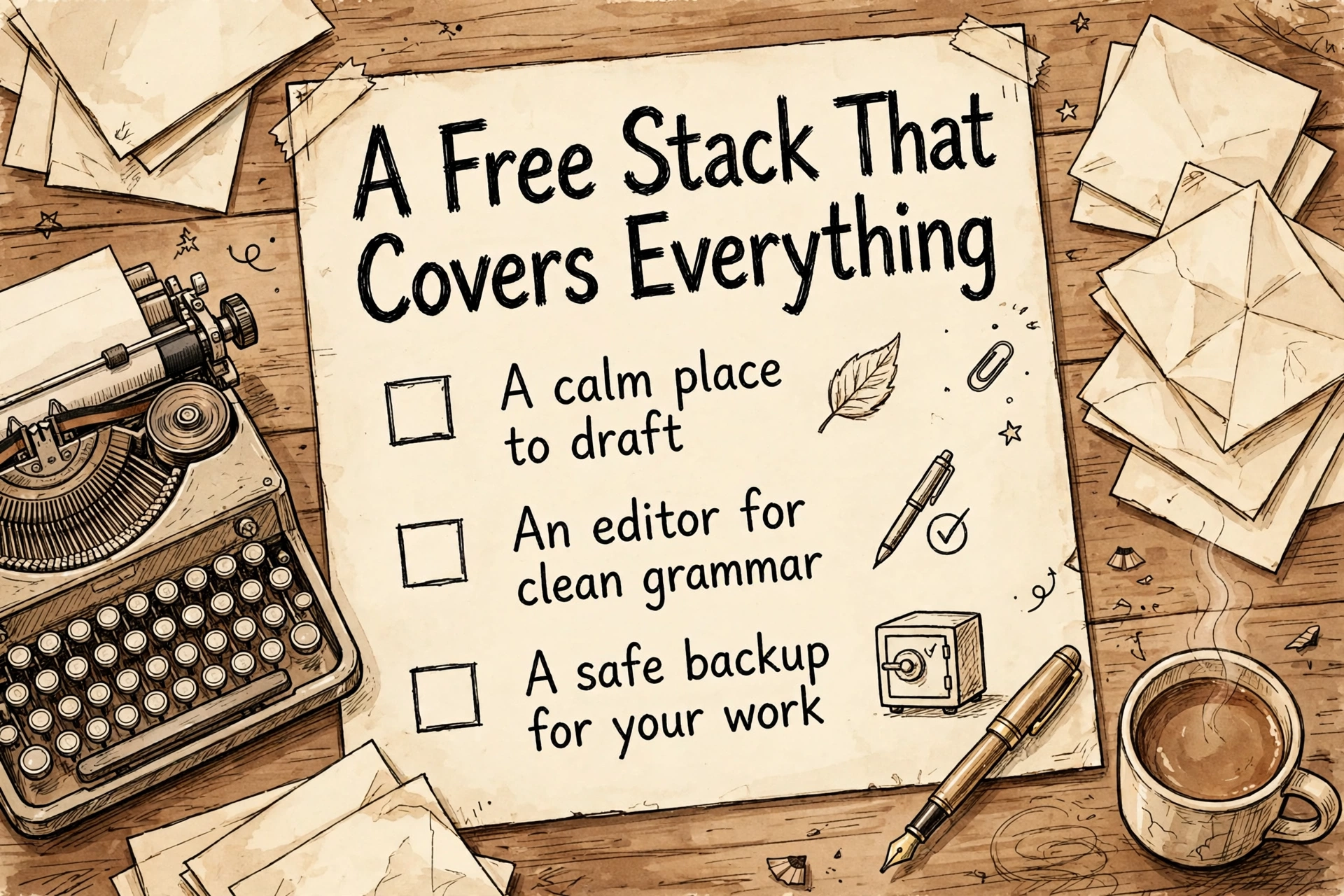
Here is how the pieces fit into one workflow, using only free plans. Say you are writing a blog post. Research the topic in Keyword Planner to confirm people search for it. Map the structure in MindMeister, or talk the outline out loud with Wispr Flow while you walk. Store the outline and your research links in a Notion page. Draft in Google Docs if a partner will review it, or FocusWriter if you need silence. Run the draft through Hemingway Editor to cut the heavy sentences, check two or three word choices in Merriam-Webster, and let Grammarly catch the typos. If any part was AI-assisted, run it through GPTZero and rewrite the flagged sentences in your own words. Total cost: zero. This is the best free writing software combination for most people because each tool does one stage properly instead of twelve tools fighting over the same job. Many writers eventually earn from their words through affiliate content — our affiliate marketing beginner’s guide explains how that model works.
Frequently asked questions
What is the best free writing software for beginners?
Start with Google Docs for drafting and Grammarly for checking. Both are free, take minutes to learn, and cover the full write-and-fix loop. Add Hemingway Editor when you want your writing to read cleaner.
Is there a completely free writing tool with no limits?
FocusWriter comes closest for drafting: it is free and open source with no account and no word limits. Google Docs is also free without a word limit, though your files count toward the 15 GB of storage shared across your Google account.
Which free writing software is best for books and novels?
Plan the book in MindMeister, keep the world-building and chapter notes in Notion, and draft in FocusWriter, whose scene and daily-goal features suit long projects. Day One helps if the book grows out of personal journals.
Can free writing tools really replace paid ones?
For most individual writers, yes. Paid plans mostly add higher limits, team controls, and AI extras. You are most likely to feel a free limit if you dictate a lot (Wispr Flow caps free dictation at 2,000 words per week on desktop) or brainstorm with a team (Miro caps free boards at 3).
What is the best free writing software for students?
Notion for organizing notes and assignments, Google Docs for writing them, and Grammarly’s free plan for catching mistakes before submission. All three are free, and none requires a credit card.
Are these tools free without a credit card?
Yes. Every tool on this list can be used on its free plan without adding payment details. One needs a free account setup first: Keyword Planner requires a Google Ads account (you do not have to run ads to use it for research).
Final recommendation
If you only install three, make it these: Google Docs to write, Hemingway Editor to tighten, Grammarly to catch mistakes. That trio is the best free writing software setup for everyday work, and it costs nothing. Add MindMeister when your ideas will not sit still, Wispr Flow when your thoughts outrun your typing, and Notion when your notes start living in too many places. The best setup is the smallest one you will actually use every day. Many writers also keep a prompt library beside their writing software — ours collects 50 ChatGPT prompts for freelancers.
Article updates
October 22, 2026: Article published. Free-plan limits and prices checked against each tool’s official pricing or help page on this date.



[…] An empty blog converts nobody. Before you share the link anywhere, publish five genuinely useful posts in your niche — tutorials, comparisons, or beginner guides of 1,000+ words each. This does three things: it proves to yourself you can sustain the habit, it gives early visitors a reason to stay, and it gives search engines something to index from day one. Use AI tools to speed up research and outlining if you like — our roundup of AI tools that replace hours of manual work covers which ones actually help writers — but publish only work you would proudly sign. For the tools themselves, see our roundup of the best free writing software. […]
[…] your scripts where you can reuse and refine them — these free writing tools work well for scripting: Google Docs for drafting and Wispr Flow for talking out […]
[…] nobody was looking. The best text to speech generator in 2026 does not sound like a robot reading your script — it sounds like a voice actor who never sleeps, never charges per session, and speaks forty […]
[…] voiceover starts as a script, and drafting it is easier with the right tool — our roundup of the best free writing software covers the […]