

Looking for the best free text-to-speech tool for YouTube beginners? I checked the free tiers, the commercial-use fine print, and what YouTube actually allows — because the tool only matters if you can use the voice in monetized videos. Short version: CapCut is the easiest pick since the voiceover happens inside your editor, and TTSMaker is the best standalone free option with a generous weekly allowance and commercial rights included.
In this article
- Best free text-to-speech tools for YouTube beginners — quick comparison
- How we researched and ranked these tools
- The 6 best free text-to-speech tools for YouTube beginners
- Can you actually monetize AI voiceover videos on YouTube?
- Your first AI-voiced video: a 10-minute workflow in CapCut
- FAQs
- Final recommendation
- Article updates
One thing to get out of the way first: YouTube doesn’t ban AI voices. What it bans is lazy content — the same templated script read over stock footage thirty times. We’ll cover exactly where that line is below, because a beginner who understands it keeps their channel safe, and one who doesn’t loses monetization before ever earning a dollar.
Disclosure: Some links in this article may earn Dear Thoughts a commission if you buy through them, at no extra cost to you. No company pays for placement – our rankings and verdicts are editorial.
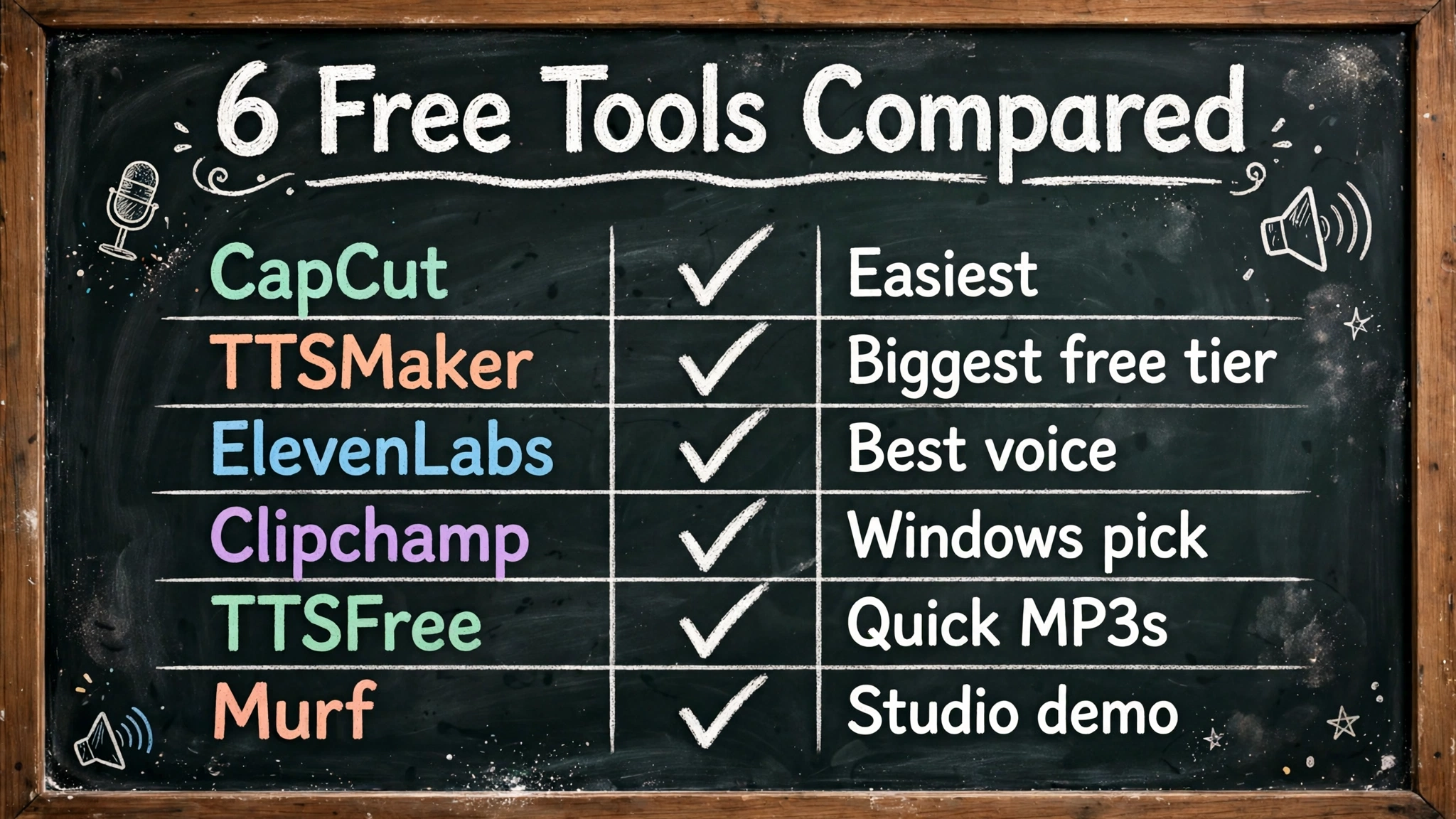
Best free text-to-speech tools for YouTube beginners — quick comparison
| Tool | Free limit | Commercial use on free tier? | Account needed? | Best for |
|---|---|---|---|---|
| CapCut | Core TTS free, no published quota | Yes (stated on CapCut’s site) | CapCut account | Voiceover inside your edit |
| TTSMaker | 20,000 chars/week | Yes, attribution optional | No | Biggest free allowance |
| ElevenLabs | 10,000 chars/month (~10 min) | No (free tier) | Yes | Best voice quality |
| Clipchamp | No monthly quota; 10-min clips | Yes (per Microsoft) | Microsoft account | Windows users |
| TTSFree | No stated daily/monthly cap | Yes (stated on their FAQ) | No | Quick MP3s, zero friction |
| Murf | ~10 min/month, watermarked | No (free tier) | Yes | Trying studio-style editing |
How we researched and ranked these tools
Tools covered: the six free text-to-speech tools in this list. When: free limits and commercial-use terms were checked against the tools’ official pages and FAQs in October 2026 (October 23, 2026), and YouTube’s rules against YouTube’s official monetization policy page. The test frame: narrating a beginner’s first YouTube video — a script of about 300 words, roughly two minutes of speech — on the free tier only, since that is what a new channel actually has. The weighting: commercial rights 25%, free limits 25%, voice quality 25%, ease of use 15%, languages 10%. Commercial rights lead because a free voice you cannot monetize is worthless to a YouTube beginner. Observed vs claimed: limits, licences and prices are each company’s own published figures, linked at the claim; ease-of-use and workflow judgements are editorial.
The 6 best free text-to-speech tools for YouTube beginners
1. CapCut — the easiest pick, because the voiceover lives in your editor
Core TTS free for all users, commercial use explicitly allowed · capcut.com
Most beginners already edit in CapCut, which is exactly why it tops this list. You don’t generate audio on one site and import it into another — you type your script into the Text to Speech panel, pick a voice, and the narration lands on your timeline where you can nudge it against your clips and auto-generated captions. That one workflow saves more time than any voice-quality difference between the tools below.
CapCut’s own FAQ says the core text-to-speech feature is free for everyone (some premium voices sit behind the Pro subscription), and — this is the part that matters — the same FAQ explicitly allows commercial use of generated audio, naming YouTube videos as an example. Adjustable speed, pitch, and tone are built in, and it works on web, desktop, and mobile with projects synced across devices.
The honest catches: you’ll want a CapCut account, and the voice library’s quality varies — the popular English voices are good, some niche-language ones less so. Preview before you commit to a voice for a whole series.
Pick CapCut if: you edit in CapCut anyway, which, as a beginner, you probably should.
2. TTSMaker — the biggest free allowance that still lets you monetize
20,000 characters/week free, no signup, commercial use allowed · ttsmaker.com
TTSMaker is the workhorse pick. The free tier gives you 20,000 characters a week — that’s roughly 20 minutes of narration every single week, more than most beginners upload — with no account required and unlimited MP3 downloads. The site carries 600+ voices across 100+ languages, and its FAQ says attribution is optional, not required.
The per-conversion cap is the thing to plan around: the free tier converts up to 500 characters at a time, so a long script gets split into chunks you download and stitch together in your editor. For a 10-minute video that’s maybe a dozen chunks — five minutes of extra work in CapCut or any editor, and you’re done.
One more practical note: TTSMaker’s conversion history is temporary, so download your MP3s the same day you make them.
Pick TTSMaker if: you want downloadable voice files with real commercial rights and don’t want to create yet another account.
3. ElevenLabs — the best-sounding voice, with a catch on the free tier
10,000 characters/month free (~10 minutes); commercial use starts at $6/month · elevenlabs.io
ElevenLabs makes the most human-sounding voices on this list, and it’s not close. The pacing, the pauses, the way it handles emphasis — play an ElevenLabs sample next to any free tool and you’ll hear the gap in three seconds. The free tier gives you 10,000 characters a month, about 10 minutes of audio, which is plenty to test whether the quality difference matters for your niche.
Here’s the catch, and it’s a hard one: the free tier is not licensed for commercial use. If your video will ever be monetized, you need the Starter plan at $6/month (30,000 characters, commercial license included). Think of the free tier as a test drive, not a production tool.
My honest take for beginners: use the free tier to hear what top-end AI voice sounds like, and to narrate practice videos you’re not monetizing yet. The day your channel joins the Partner Program, that $6/month is the cheapest upgrade in this entire article.
Pick ElevenLabs if: voice quality is your top priority and you’re fine paying $6/month once you monetize.
4. Clipchamp — the free Microsoft option hiding in plain sight
Free text-to-speech with no monthly quota (10-minute clips), commercial use confirmed by Microsoft · microsoft.com
If you have a Windows PC or a Microsoft account, you already have Clipchamp — and its text-to-speech is genuinely free with no monthly character quota, capped at 10-minute clips, which is longer than most beginner videos’ single narration segments. Microsoft confirms the audio can be used commercially, so monetized YouTube videos are fine.
It works in your browser or as a Windows app, and like CapCut it’s an editor first, which means the voiceover slots straight into your project. The voice selection is solid for mainstream languages but thinner than TTSMaker’s for everything else.
Pick Clipchamp if: you’re on Windows and want a free, legal, no-surprises voiceover inside a real editor.
5. TTSFree — the simplest page that just works
Free, no account, MP3 download, commercial use allowed per their FAQ · ttsfree.com
TTSFree is the anti-platform pick: one page, paste text, choose from 140+ languages, generate, download the MP3. No account, no weekly quota published on their FAQ, and the site’s own FAQ says the audio can be used for personal and commercial purposes including YouTube videos.
It’s not the prettiest tool here and the voices are a step behind the leaders, but for a beginner who wants to test whether AI narration fits their channel before investing any setup time, there’s nothing faster. Generated files are deleted from their servers within 24 hours, so download immediately.
Pick TTSFree if: you want a voice file in the next two minutes with nothing to sign up for.
6. Murf — try the studio workflow, but don’t plan your channel on the free tier
~10 minutes/month free, watermarked, no downloads; paid from ~$19/month · murf.ai
Murf is a proper voice-production studio — multi-speaker projects, pronunciation control, collaboration features — and its free tier is really just a demo: about 10 minutes a month, watermarked, and you can’t download the audio. That’s fine for evaluating the workflow, but no beginner should build a publishing schedule on it.
I’m including it because when your channel grows, Murf-style tools are where many creators end up, and it’s worth knowing the category exists. For now, treat it as a test drive.
Pick Murf if: you’re curious about professional voice studios and want to preview one free.
Can you actually monetize AI voiceover videos on YouTube?
Yes — with one rule that matters more than the tool you pick. YouTube has no policy against AI narration. What it polices, under its inauthentic content policy (the renamed “repetitious content” rule, updated July 2025), is mass-produced, templated videos: the same script shape across dozens of uploads, readings of material you didn’t create, slideshows with no real commentary. That content loses monetization whether the narrator is AI or human.
The flip side is encouraging: an original script, real editing, and a consistent voice is treated like any other video. Faceless channels are not a policy category at all — reviewers look at whether each video is distinguishable from the last, not whether a face appears. Many monetized channels already narrate with text-to-speech. For the writing side, a good prompt library helps — see our collection of 50 ChatGPT prompts.
Three practical rules for beginners:
- Write original scripts. Never read someone else’s article or Reddit thread verbatim. Summarize, add your take, structure it your way.
- Vary your videos. Same template + same thumbnail style + thirty uploads = the exact pattern the inauthentic-content policy targets.
- Disclose when it could mislead. YouTube Studio has an “altered or synthetic content” checkbox at upload. A plainly narrated explainer usually doesn’t need it; anything that could pass as a real person or real event does. When unsure, check YouTube’s official monetization policy page — it’s the final word, and it changes more often than most creators realize.
And the threshold still applies regardless of voice: 1,000 subscribers plus 4,000 watch hours in 12 months (or 10 million Shorts views in 90 days) before the Partner Program opens. Our beginner’s guide to starting a YouTube channel walks through that whole path.
Your first AI-voiced video: a 10-minute workflow in CapCut
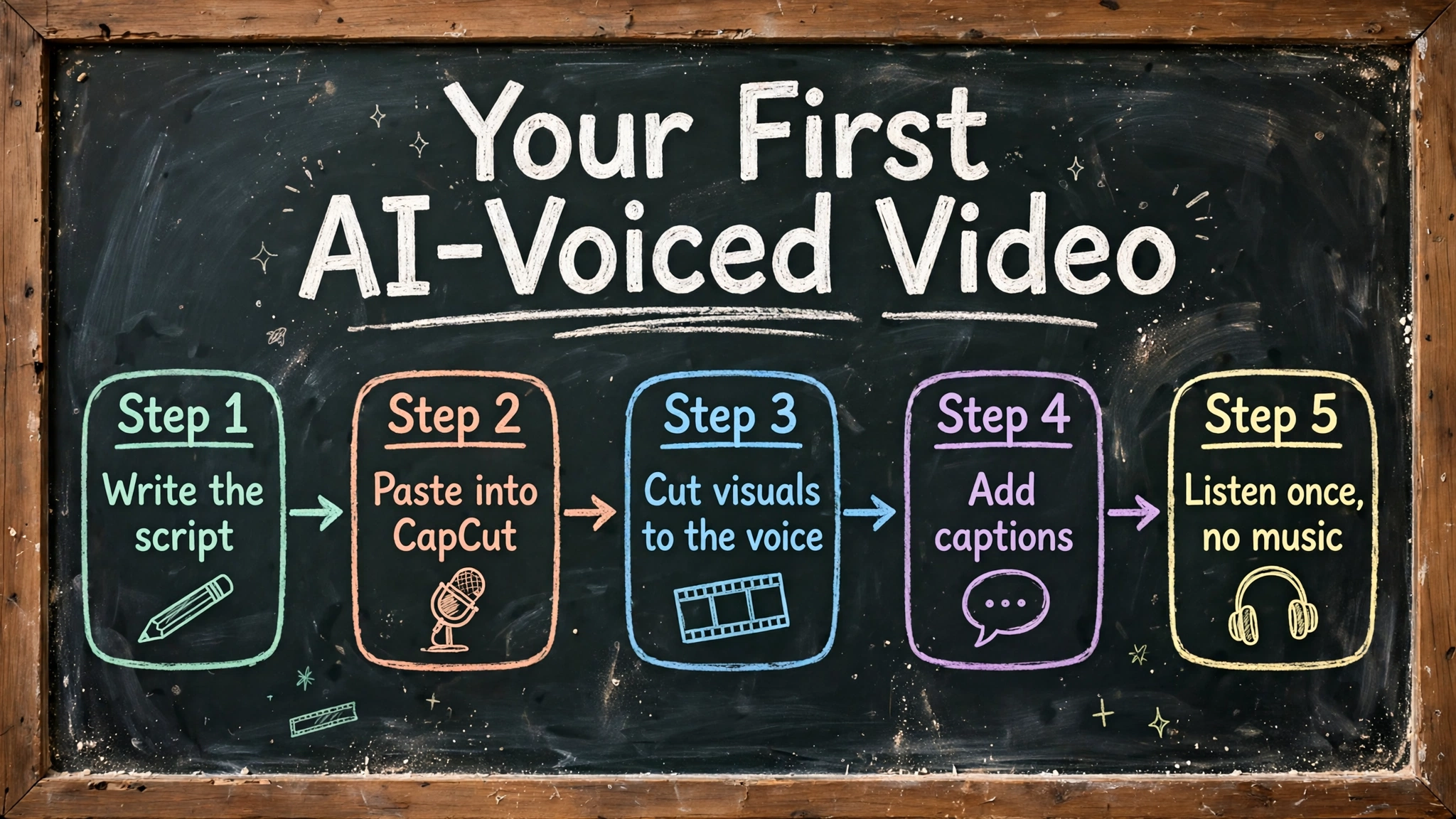
Here’s the concrete version, because abstract advice doesn’t ship videos:
- Write a 300-word script (~2 minutes of speech at a natural pace). One idea, one takeaway. A “3 mistakes” format works well for beginners.
- Paste it into CapCut’s Text to Speech panel. Pick a voice, preview 10 seconds, and adjust speed to 1.0–1.1x if it drags.
- Cut your visuals to the narration, not the other way around. Drop the voiceover on the timeline first, then place clips where the words need them.
- Add auto-captions. Most viewers watch muted at first; captions keep them long enough for the voice to hook them.
- Listen once at 1x with no music. A soundtrack hides awkward pacing. If the bare voiceover sounds good, you’re done.
That workflow works with TTSMaker or TTSFree too — download the MP3, import it into any editor, same steps. The tool changes; the discipline doesn’t. Once your voiceover is ready, you’ll need an editor — see our top 10 video editing apps.
FAQs
Will YouTube demonetize my channel for using an AI voice?
Not for the voice alone. Demonetization hits channels whose content is inauthentic — mass-produced, templated, or copied without added value. An original script with an AI narrator is treated the same as an original script with a human narrator. The risk is in what the voice reads, not the voice itself.
Which free text-to-speech tools allow commercial use?
On the free tier: CapCut (explicitly, per its FAQ), TTSMaker (attribution optional), TTSFree (per its FAQ), and Clipchamp (per Microsoft). ElevenLabs’ free tier does not — you need the $6/month Starter plan for monetized videos. Always re-check the terms page before you publish; free licenses change.
Do I need to tell YouTube I’m using an AI voice?
Only when the content is realistic enough to mislead — synthetic footage of real people, altered real events, that class of thing. A standard AI narration over your own visuals generally doesn’t trigger the disclosure requirement, but YouTube’s own policy page is the authority here, and when in doubt, checking the box is the safe move.
How many words should my script be?
Plan on roughly 130–160 English words per minute at a natural speaking pace. A 10-minute video needs about 1,400–1,500 words. That math is also how you budget character quotas: 1,000 characters is roughly a minute of audio.
Why do free voices sometimes sound robotic?
Free tiers usually run smaller, faster models — the quality voices cost providers real compute. Three fixes that cost nothing: pick a voice marketed as conversational rather than neutral, write shorter sentences (AI voices handle them better), and slow the speed slightly. If the voice still bothers you after that, it’s a sign to test ElevenLabs’ free tier and hear the difference.
Can I use these tools for a faceless channel?
Yes — faceless channels are not a YouTube policy category. Channels get in trouble for sameness across uploads, not for hiding the creator’s face. History explainers, rankings, and commentary formats with original scripts per video are exactly what the policy allows.
Final recommendation
If you only try one, make it CapCut — it’s the best free text-to-speech tool for YouTube beginners because the voiceover happens where the video gets made, the core feature is free, and commercial use is explicitly allowed. If you need standalone audio files without an account, TTSMaker is the free tier to beat: 20,000 characters a week with commercial rights and no signup. And use ElevenLabs’ free 10 minutes to hear what premium AI voice sounds like — then decide if $6/month is worth it when you start monetizing.
The tool is the easy part. The channel that survives is the one with original scripts and videos that don’t all look the same. Get that right and any voice on this list will carry you to monetization. Your voiceover starts as a script, and drafting it is easier with the right tool — our roundup of the best free writing software covers the options.
Article updates
October 23, 2026 — Article published. Free-tier limits and commercial-use terms checked against the tools’ official pages and current 2026 reviews: CapCut (core TTS free, commercial use allowed per its FAQ), TTSMaker (20,000 chars/week, attribution optional), ElevenLabs (10,000 chars/month free, non-commercial; Starter $6/month), Clipchamp (no monthly quota, 10-minute clips), TTSFree (no account, commercial use allowed per its FAQ), Murf (~10 min/month free, watermarked). YouTube policy section verified against YouTube’s official channel monetization policies page (inauthentic content policy, renamed from repetitious content in July 2025).



[…] more than one monetized channel. Recording for a YouTube channel specifically? Our guide to the best free text-to-speech tool for YouTube beginners covers which free tiers actually allow monetized […]
[…] narration while you find your footing. If you’d rather not record your own voice yet, a free text-to-speech tool for YouTube beginners can narrate your first videos — several free tiers even allow monetized […]
[…] If you are starting from zero, our full guide on how to start a YouTube channel in 2026 walks through the setup properly. And if the camera is the part you dread, a faceless channel using a good voice tool is a legitimate route — we compared the options in our guide to the best free text-to-speech tools for YouTube beginners. […]