
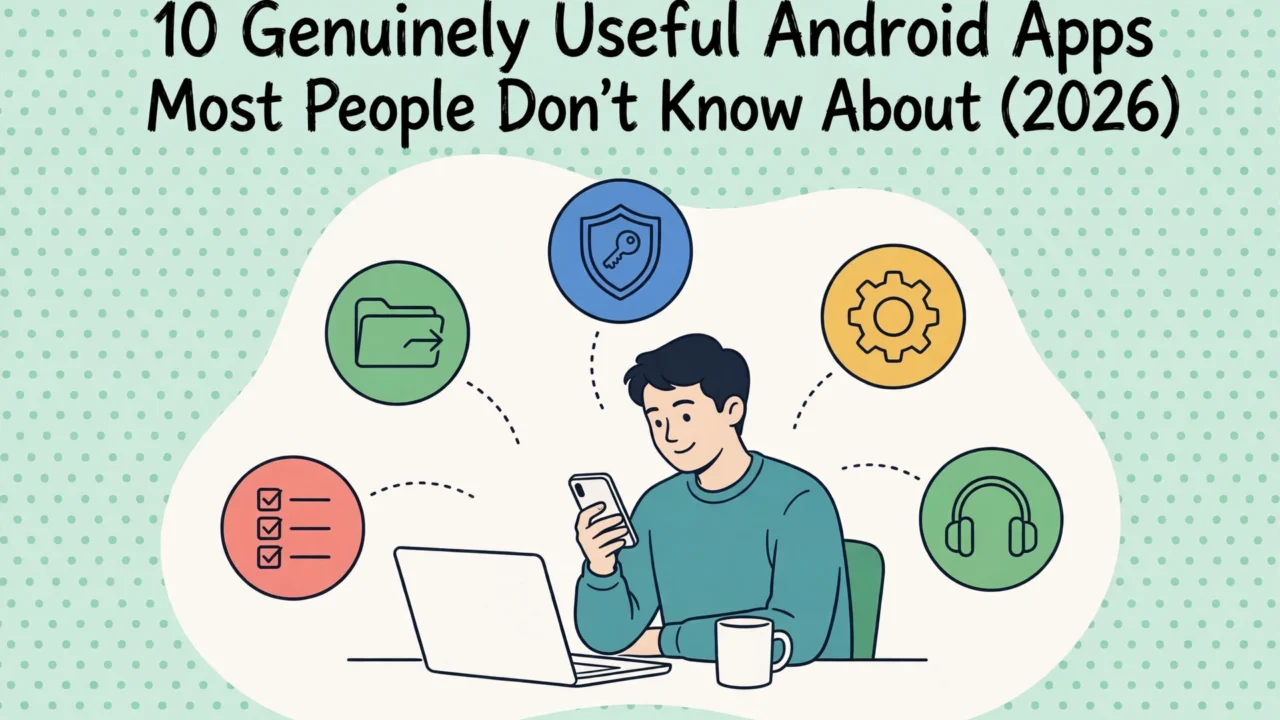

If you search for useful Android apps, you will mostly get the same famous names repeated on every list. WhatsApp, Chrome, Spotify. You already know those. The apps below are different: genuinely useful Android apps that most people have never heard of, quietly doing one job extremely well. Six of them are open source, most are completely free, and not one of them needs an account just to start working.
In this article
- How we ranked these apps
- The 10 apps at a glance
- 1. LocalSend — send files to any device, no cloud, no cable
- 2. Bitwarden — a real password manager, free on every device
- 3. KDE Connect — your phone and computer, finally talking
- 4. Niagara Launcher — a home screen that calms your phone down
- 5. MacroDroid — automation for people who do not code
- 6. Loop Habit Tracker — habit tracking with no account and no ads
- 7. Aegis Authenticator — your two-factor codes, in a vault you control
- 8. AntennaPod — podcasts without the platform nonsense
- 9. URLCheck — see where a link really goes before you tap through
- 10. Wavelet — make cheap earbuds sound like better ones
- Which of these useful Android apps should you install first?
- Frequently asked questions
- Article updates
And if you are picking the flagship itself, our iPhone 17 Pro Max vs Galaxy S26 Ultra comparison is here.
Here is the short version. LocalSend moves files between your phone and computer without cables or the cloud. Bitwarden remembers your passwords so you do not have to reuse them. KDE Connect links your phone and PC so they behave like one device. The other seven handle automation, habits, podcasts, two-factor codes, suspicious links, your home screen and your headphone sound. Install two or three of these useful apps for Android and your phone will feel noticeably smarter by tonight. If your phone doubles as your editing desk, our roundup of the best video editing apps is worth a look too.
How we ranked these apps
Every app here had to earn its place. We scored all ten against the same published criteria: everyday usefulness 35% (does it solve a problem you actually have?), free value 25% (how much you get without paying), ease of use 20% (can a beginner be productive in five minutes?), privacy and ads behaviour 10% (no ad spam, no shady data collection), and active maintenance 10% (is the developer still updating it?). Popularity was deliberately not a criterion, which is why this list looks so different from the usual roundups.
How this list was researched (October 27, 2026): we worked from each app’s official Google Play listing, the developer’s own documentation and, where available, the public source-code repository. Prices, ad behaviour and download figures below are as listed on that date; ratings move over time. Where a claim comes from the developer, we say so. The verdicts are our editorial opinion.
A quick disclosure before the list: no app paid to be here. If you upgrade to a paid tier through a link in this article, Dear Thoughts may earn a small commission at no extra cost to you. It never changes the ranking.
The 10 apps at a glance
| # | App | What it does | Price | Ads? |
|---|---|---|---|---|
| 1 | LocalSend | Send files phone ↔ computer over Wi-Fi | Free | No |
| 2 | Bitwarden | Password manager with unlimited free sync | Free (Premium optional) | No |
| 3 | KDE Connect | Phone + PC notifications, clipboard, files | Free | No |
| 4 | Niagara Launcher | Minimal home screen, one-hand friendly | Free (Pro optional) | No |
| 5 | MacroDroid | Automate your phone without coding | Free (Pro one-time) | Yes, in free tier |
| 6 | Loop Habit Tracker | Habit tracking that works fully offline | Free | No |
| 7 | Aegis Authenticator | Two-factor codes in an encrypted vault | Free | No |
| 8 | AntennaPod | Podcast player with no ads, ever | Free | No |
| 9 | URLCheck | Inspects links before you open them | Free | No |
| 10 | Wavelet | Headphone equalizer tuned to your model | Free (Pro optional) | No |

1. LocalSend — send files to any device, no cloud, no cable
Sending a photo from your phone to your laptop should not require emailing it to yourself. LocalSend fixes that small daily annoyance properly. Install it on your phone and your computer (it runs on Android, iPhone, Windows, Mac and Linux), put both on the same Wi-Fi, and files move directly between them. No internet, no account, no upload to anyone’s server, and no size limit beyond your storage.
It is free and open source, developed by Tien Do Nam, with over 10 million installs and a 4.6-star rating on Google Play as of October 2026. The honest catch: both devices must share a network, so it will not help you send a file to a friend across town. For everything at home or in the office, though, this is the first app on the list for a reason. This is our editorial opinion: it is the most immediately useful app here.
2. Bitwarden — a real password manager, free on every device
Reusing the same password everywhere is the single biggest security risk most people carry around. Bitwarden removes the excuse. Its free plan stores unlimited passwords on unlimited devices, a combination most rivals charge for, and syncs between your phone, browser and computer. The company states that vaults are protected with end-to-end AES-256 encryption and that the code is open source and independently audited; both claims are set out on its official pricing page, which also lists what the free plan includes.
Premium exists (about $10 a year as of October 2026, per that same pricing page) and adds extras like an integrated authenticator and emergency access, but most people will never need it. The learning curve is a weekend afternoon of changing your important passwords one by one. After that, you log in everywhere with a tap and remember exactly one strong password: Bitwarden’s.
3. KDE Connect — your phone and computer, finally talking
KDE Connect is what phone-to-PC sync should have been all along. Pair your Android phone with your computer and you can read and reply to phone notifications on the big screen, copy text on one device and paste it on the other, send files both ways, and even use the phone as a touchpad or presentation remote. The KDE Community, which develops it, states that data travels directly between your devices over your local network with TLS encryption, never through the internet.
It is completely free, open source, and updated regularly; the listing was refreshed on October 25, 2026. Two honest limitations: you must install the free companion app on your computer for any of this to work, and a few features are Linux-first, so Windows and Mac users get most, not all, of the toolkit. Even so, the shared clipboard alone is worth the install.
4. Niagara Launcher — a home screen that calms your phone down
Most launchers are a grid of colourful bait. Niagara Launcher replaces the grid with a simple list of your favourite apps and an alphabet wave down the side, so any app is one thumb-slide away. Notifications appear right on the home screen and you can reply without opening the app. People who try it tend to describe the same effect: they pick up the phone, do the thing, and put it down again.
It is free with no ads, holds a 4.7-star rating from over 10 million installs, and is updated almost weekly by its developer, Mellowdrop. An optional Pro tier (a yearly subscription or a one-time lifetime purchase, priced by region in the Play listing) adds themes, widgets and a weather/calendar widget. The catch is taste: if you love carefully arranged icon pages and folders, Niagara’s single list will feel like a constraint rather than a relief.
5. MacroDroid — automation for people who do not code
MacroDroid lets you teach your phone small tricks: turn Wi-Fi on when you get home, read messages aloud in the car, dim everything and silence the phone at bedtime, reject calls during calendar meetings. You build each “macro” from a trigger, an action and optional conditions, picking from lists. The developer, ArloSoft, counts over 120 triggers and 200 actions, and a template store inside the app lets you copy other people’s macros instead of starting from zero.
The free version shows ads and caps you at five macros, which is enough to learn with. A one-time Pro payment (a few dollars, varying by region) removes the ads and the cap; notably, it is not another subscription. One caution: automation needs broad permissions to do its job, so grant them thoughtfully and download macros only from the in-app store. In our editorial opinion this is the most powerful app on the list once you invest twenty minutes in it.
6. Loop Habit Tracker — habit tracking with no account and no ads
Most habit apps want your email, your money, or both, and punish a missed day by torching your streak. Loop Habit Tracker takes the opposite approach. It is free, open source (GPLv3), works entirely offline, and asks for no account. Its habit-strength score is forgiving by design: the developer explains that a few missed days after a long streak will not wipe out your progress, which matches how habits actually work.
You get detailed charts, flexible schedules (three times a week is fine, it does not have to be daily), home-screen widgets and a CSV export of your data. It has passed 5 million installs with a 4.7-star rating. The trade-off is pace: the current version dates from August 2025, so updates are infrequent. For an offline tracker that needs nothing from the internet, that matters less than it would elsewhere, but it is worth knowing.
7. Aegis Authenticator — your two-factor codes, in a vault you control
If you use two-factor authentication (you should, starting with the accounts in Bitwarden above), the codes deserve better than a basic authenticator with no backup. Aegis Authenticator stores your codes in an encrypted vault unlocked by password or fingerprint, blocks screenshots, and can back the vault up automatically to a location you choose. Its Play Store data-safety section states that no data is collected and none is shared with third parties.
It is free and open source from Beem Development, supports the standard TOTP and HOTP codes every major site uses, and can import entries from Google Authenticator, Authy and several others, so switching takes minutes. Over a million installs and a 4.7-star rating suggest plenty of people have made that switch. Set up the encrypted backup the day you install it; an authenticator without a backup is a lockout waiting to happen.
8. AntennaPod — podcasts without the platform nonsense
Since Google Podcasts shut down, podcast listening has drifted into apps that push subscriptions, exclusives and ads. AntennaPod is the quiet alternative: a free, open-source player with no ads at all, built by podcast enthusiasts. Add shows by search or RSS link, download episodes automatically on Wi-Fi, and listen with variable speed, chapter support and a proper sleep timer.
It passed a million downloads on Google Play and handles power features casual apps skip, like OPML import/export (bring your subscriptions from another app in one file) and fine-grained control over how many episodes to keep so your storage does not fill up. The interface is plainer than the big commercial players, and discovering brand-new shows is a bit more manual. If you already know what you listen to, that is a fair trade for an app that never interrupts a podcast to sell you something.
9. URLCheck — see where a link really goes before you tap through
Shortened links and tracking parameters mean you rarely know where a tap will land, which is exactly what phishing relies on. URLCheck sits between you and the browser: tap a link in WhatsApp or email and URLCheck shows it first, strips known tracking junk using the ClearURLs rules, unshortens short links, and can flag known-bad hosts. A VirusTotal scanning module is available if you add your own free API key.
It is free, open source, contains no ads or trackers, and according to the developer, TrianguloY, it requests only the internet permission, used only when you run a check. The honest downside is friction: one extra tap stands between you and every link. Most people end up enabling it for messages and email, where strange links actually arrive, and that is exactly where it earns its keep.
10. Wavelet — make cheap earbuds sound like better ones
Wavelet is a system-wide equalizer built around one clever idea: headphones have measurable flaws, and most of them can be corrected. Its AutoEq feature ships correction profiles for over 5,000 headphone models, according to the developer’s documentation, calculated to a recognised target curve. Pick your model, and budget earbuds typically gain clarity they never had. A nine-band graphic equalizer, channel balance and a limiter are there for manual tweaking, and it works without root.
Now the balanced part. The Play rating sits around 3.7 stars, noticeably lower than the rest of this list, largely because behaviour varies by phone: on some devices a “legacy mode” is needed and a few features behave differently. Read the developer’s troubleshooting page if it does not click on your handset. And if you are still choosing the phone itself, our guide to the top 10 phones in the world (2026) is the place to start. When Wavelet works on your setup, and for most people it does, it is the most fun install on this page.
Which of these useful Android apps should you install first?
Start with LocalSend and Bitwarden. One removes a daily friction you have probably accepted for years; the other closes the biggest security hole in most people’s digital lives. Both are free, both work on your other devices, and both take under ten minutes to set up. Add KDE Connect if you work at a computer all day, MacroDroid when you catch yourself doing the same phone chore for the third time, and Niagara if your home screen stresses you out. That is the quiet strength of this list of useful apps for Android: none of them asks for your attention. They give it back. And if you enjoy tools that quietly save you hours, our list of AI tools that replace hours of manual work has the same spirit.

If AI chat apps are more your thing, our comparison of the best AI chatbots — ChatGPT, Claude and Gemini is the companion read.
Frequently asked questions
Are these lesser-known Android apps safe to install?
All ten are distributed through Google Play, and six of them (LocalSend, KDE Connect, Loop, Aegis, AntennaPod and URLCheck) are open source, meaning their code is publicly inspectable. Stick to the official Play listings linked in this article, check the permissions an app requests, and be wary of copycat apps with similar names.
Why are famous apps like WhatsApp and Chrome not on this list?
Because you already know them. This list exists for useful Android apps that most people have never been shown. A list of the ten most-installed apps would tell you nothing new.
Are these apps really free?
Seven are completely free. Bitwarden, Niagara Launcher and Wavelet offer optional paid upgrades for extra features, and MacroDroid’s free tier carries ads with a cheap one-time Pro unlock. Every app here is genuinely usable without paying anything. Prices shown were checked on October 27, 2026, and can vary by country.
Do these apps work offline?
Several do. Loop Habit Tracker is fully offline by design, LocalSend and KDE Connect work over your local network with no internet at all, and AntennaPod plays downloaded episodes anywhere. Bitwarden needs the internet only to sync changes between devices; your vault opens offline.
Do these apps also work on iPhone?
Some do. LocalSend and Bitwarden have iOS versions, and KDE Connect has an iPhone app with a smaller feature set. The rest are Android-only, which is part of why they are less famous: launchers and link interceptors are things iOS does not allow in the same way.
How often is this list updated?
We re-check the facts in this article on a regular cycle and note every change in the Article updates section below. App prices, ratings and features change, so confirm the details on the Play listing before you rely on them.
Article updates
October 28, 2026 — Refreshed the article’s illustrations in a new flat editorial style and added a fourth image.
October 27, 2026: Article published. All ten apps, prices, ad behaviour and download figures checked against the official Google Play listings and developer documentation on this date.



[…] your phone? Load it with the right software next: our roundup of 10 genuinely useful Android apps most people don’t know about covers the free apps worth installing […]
[…] Charging flips the result. Samsung states the S26 Ultra’s 60W Super Fast Charging 3.0 refills to up to 75% in around 30 minutes, with 25W wireless on top. Apple states the iPhone reaches up to 50% in 20 minutes with a 40W+ USB-C adapter (sold separately), or in 30 minutes over MagSafe. The Galaxy refills far faster; the iPhone lasts longer once charged. Travellers should weight that heavily; overnight chargers should not care. Galaxy owners: load up from our list of genuinely useful Android apps most people don’t know about. […]